
Partner-Child Dashboard: Product Overview
What It Is
If your organization manages multiple sub-merchants under a single partner account, your dashboard automatically detects this and unlocks a Partner View — giving you a consolidated way to view and support your merchant portfolio without needing separate logins for each one.
How to Use It
Automatic detection: On login, the dashboard identifies whether you're a business merchant or a partner merchant with sub-merchants, and loads the appropriate view — no manual setup required.
- Sub-merchant selector: A dedicated selector in your dashboard navigation lets you choose any sub-merchant to view "on behalf of" them.
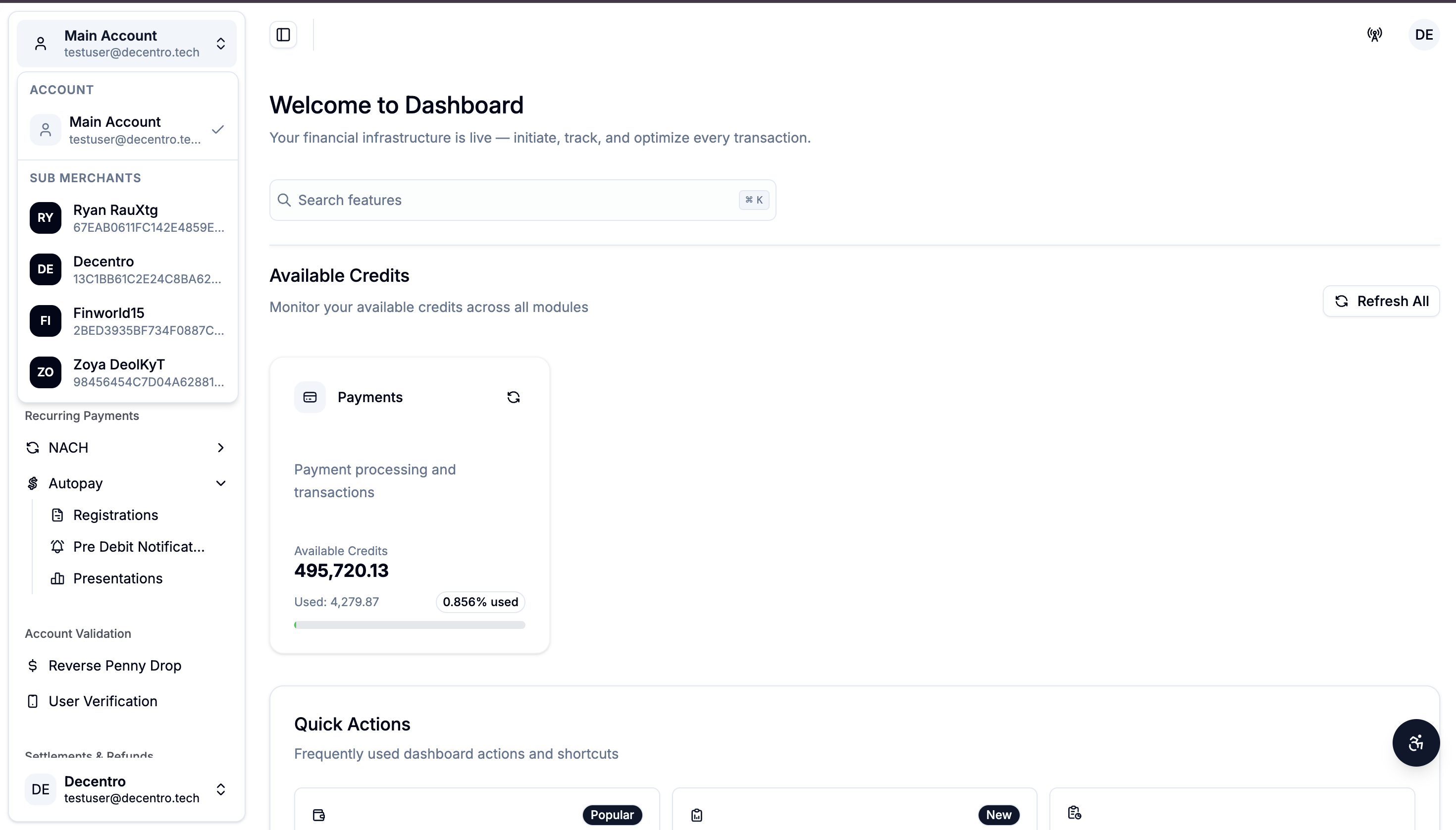
- Viewing sub-merchant activity: Once selected, all visible data — transactions, settlements, and reports — reflects that specific sub-merchant, so you can support them without contacting Decentro or asking for screenshots.
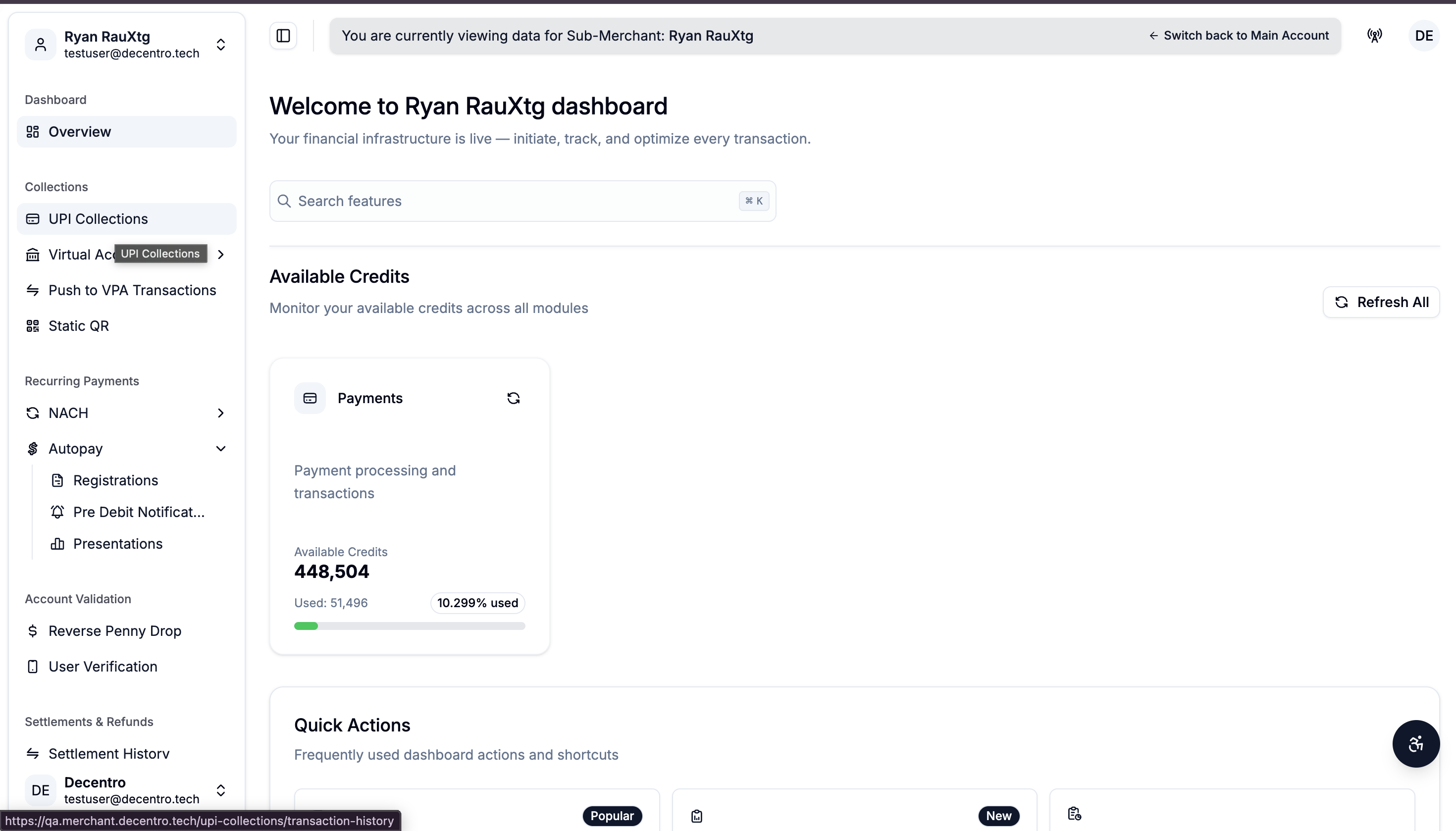
- Returning to your own view: Selecting the home/overview option clears the sub-merchant selection and returns you to your own account view.
- What You Can See Per Sub-Merchant:
- Transaction and collection modules (e.g. UPI Collections, Virtual Accounts, NACH, Autopay)
- Settlement History
- Refunds
- Split Settlements
- Chargeback
- You can also download MIS & Settlement reports for the sub-merchants transactions.
Updated about 1 month ago
Did this page help you?